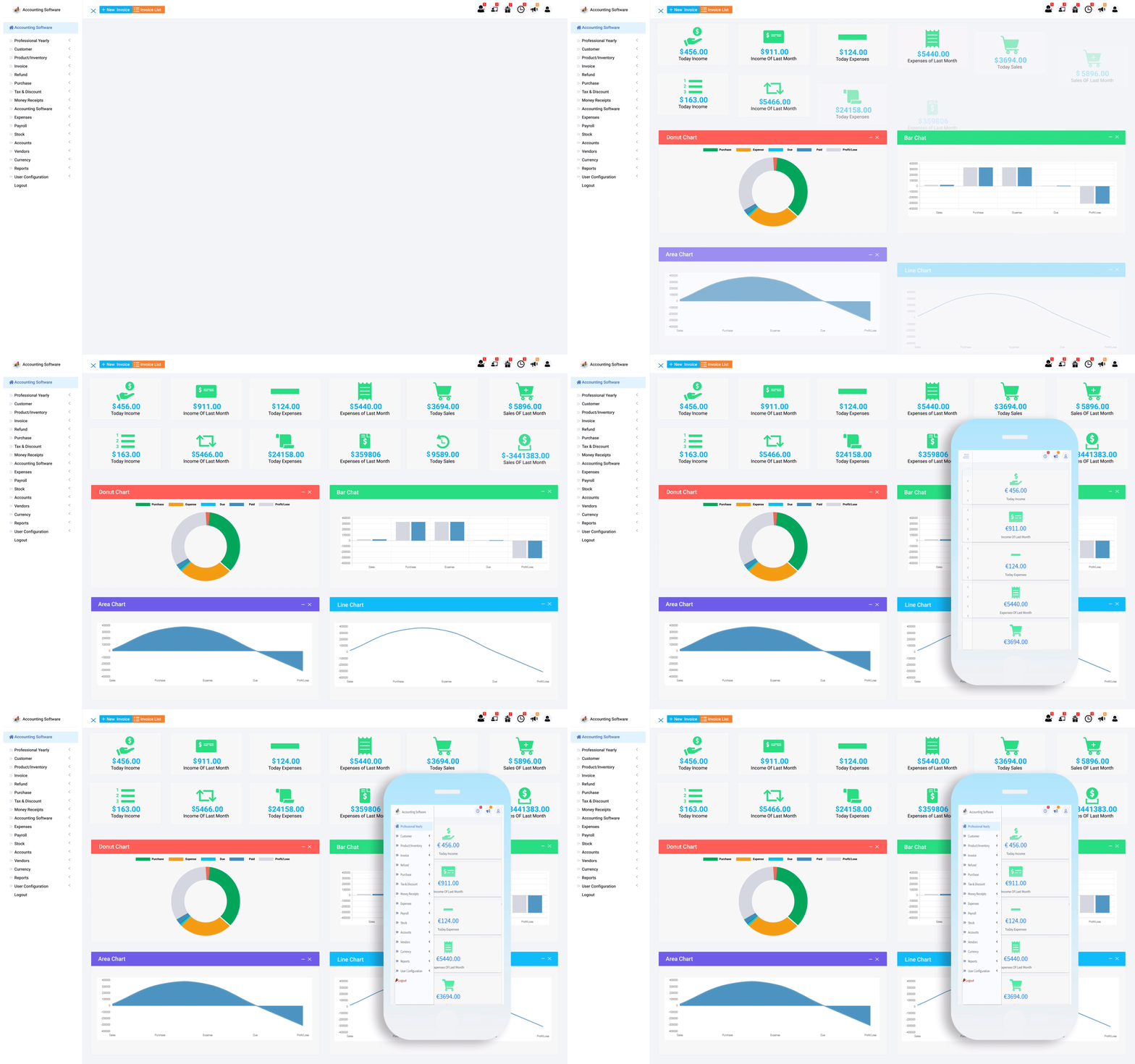


Accounting Software Customer Section- "Simplify Your Accounting"
Welcome to the customer section of our accounting software! Our software is designed to help you manage your business operations seamlessly and efficiently. Here are some of the features that we offer:
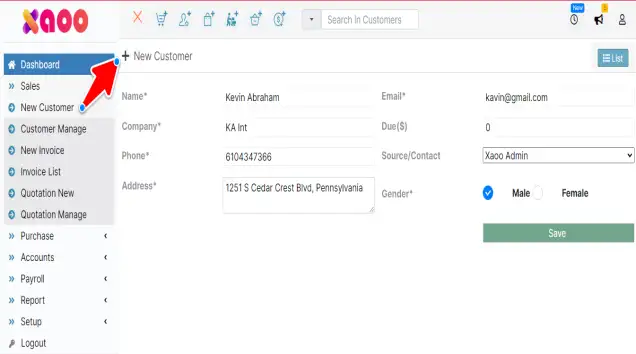
Easily add your customer to your accounts for flexible further job done
Easily add your customer to your accounts for flexible further job done
You can edit and view customer details in the customer list. It is easier to get customer payments, review your customer statement, and create an invoice for this customer with one click.
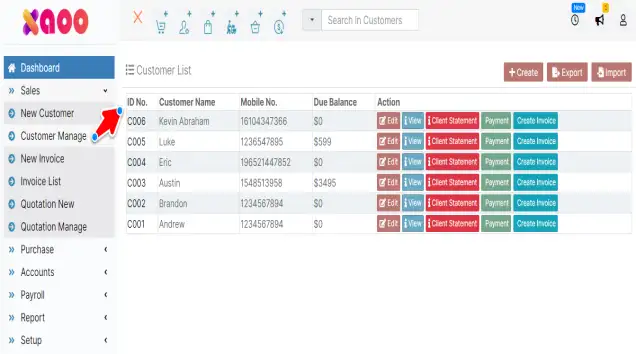
You can edit and view customer details in the customer list. It is easier to get customer payments, review your customer statement, and create an invoice for this customer with one click.

Click on the view button to see an individual full details of a customer
Click on the view button to see an individual full details of a customer
In payment add select the account from the list where the customer paid, check the current due invoice list if available, and click pay in full for full invoice payment
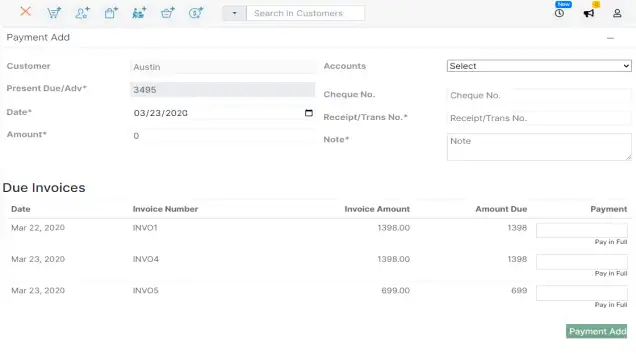
In payment add select the account from the list where the customer paid, check the current due invoice list if available, and click pay in full for full invoice payment
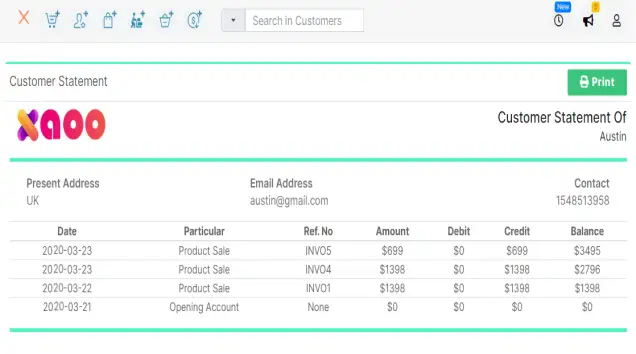
You can easily get your customer statement in customer manage with one click.
You can easily get your customer statement in customer manage with one click.
in "Quotation add" create this by picking some pre-generate item from the list and set the value. If more than one item needs to select press the "+" button to add more.
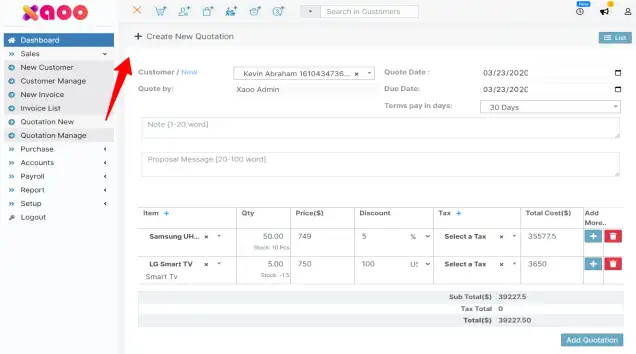
in "Quotation add" create this by picking some pre-generate item from the list and set the value. If more than one item needs to select press the "+" button to add more.
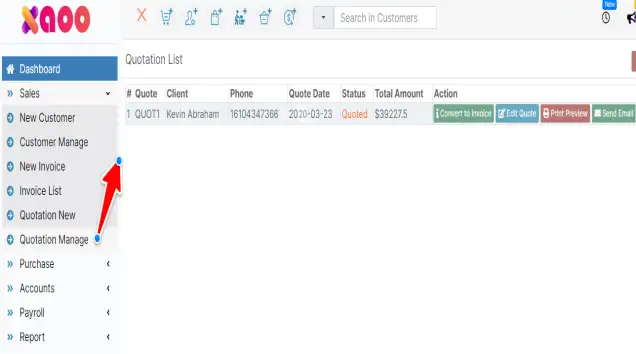
In "Quotation manage" you will get all your quotation lists and whenever needed convert a quotation to an invoice with a click.
In "Quotation manage" you will get all your quotation lists and whenever needed convert a quotation to an invoice with a click.