

Manage Refunds with Ease and Improve Customer Experience
Xaoo refund feature makes it easy to manage refunds and keep your customers satisfied. With our software, you can streamline your refund process and keep track of all your refund transactions. You can issue full or partial refunds, and our software will automatically adjust your accounts and update your records. By efficiently managing your refunds, you can improve your customer experience and maintain a positive reputation for your business.

Select the customer for a refund, select the invoice of this customer, and choose the refund type
Select the customer for a refund, select the invoice of this customer, and choose the refund type
Product refund by the customer for only the due invoice. You can add a charge for this refund if any
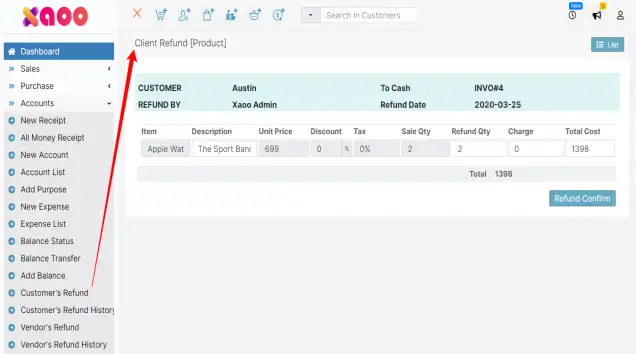
Product refund by the customer for only the due invoice. You can add a charge for this refund if any
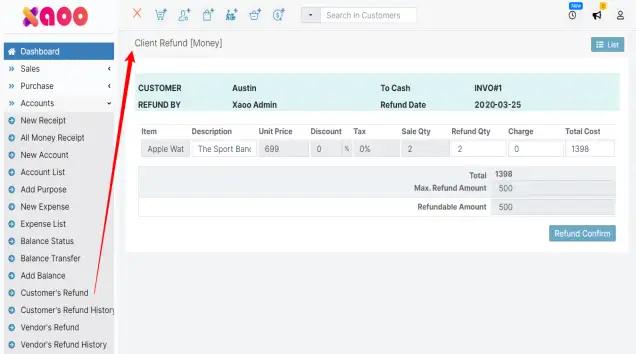
Money refund by client for only payment invoices it can be full payment or partial payment
Money refund by client for only payment invoices it can be full payment or partial payment
Invoice list status before creating a customer's product and money refund

Invoice list status before creating a customer's product and money refund
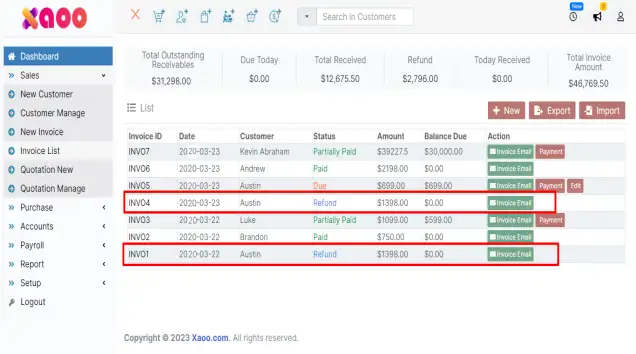
After the successful refund invoice list status will be like
After the successful refund invoice list status will be like
Select the vendor from the vendor list, purchase id, refund type, and payment method for vendor refund

Select the vendor from the vendor list, purchase id, refund type, and payment method for vendor refund
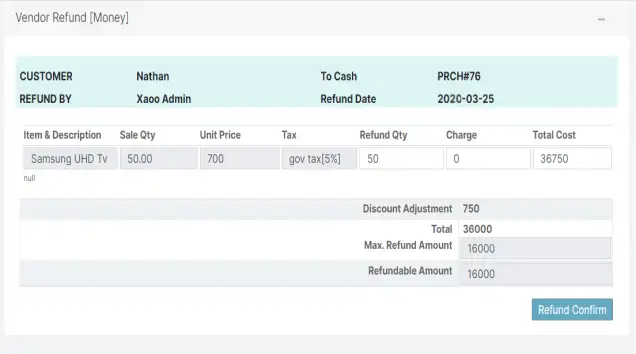
By clicking the goto button vendor refund form will be available with purchase details. Type the refund quantity and charge if any and confirm your refund.
By clicking the goto button vendor refund form will be available with purchase details. Type the refund quantity and charge if any and confirm your refund.
After the vendor refunds, you will be able to see the status is changed to refund in the Purchase list
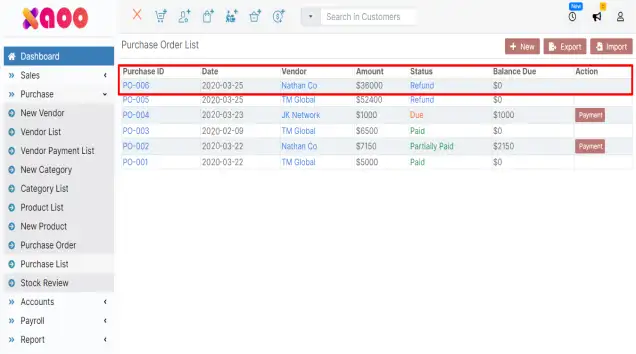
After the vendor refunds, you will be able to see the status is changed to refund in the Purchase list