


Effortlessly Manage Your Products with Our Accounting Software
Our product upload feature is designed to help you manage your products efficiently and use them with your customers with ease for invoice creation, product inventory, keeping sales records, total dues records, total profit, and loss

In order to add a product, you must first create a relevant category.
In order to add a product, you must first create a relevant category.
When you finish with the category add goto "New Product" page and select your category. You can also add a category from here to click on "New+". Before saving give all product details then click on save. Your product will be added.
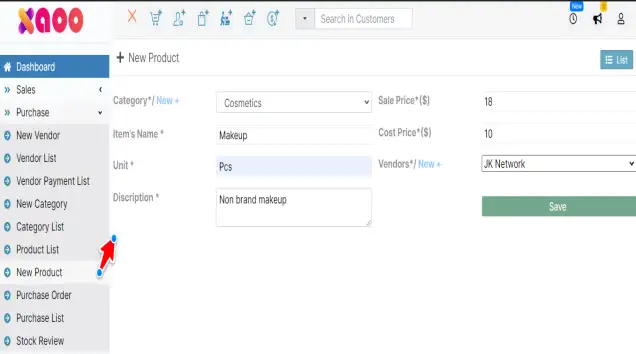
When you finish with the category add goto "New Product" page and select your category. You can also add a category from here to click on "New+". Before saving give all product details then click on save. Your product will be added.
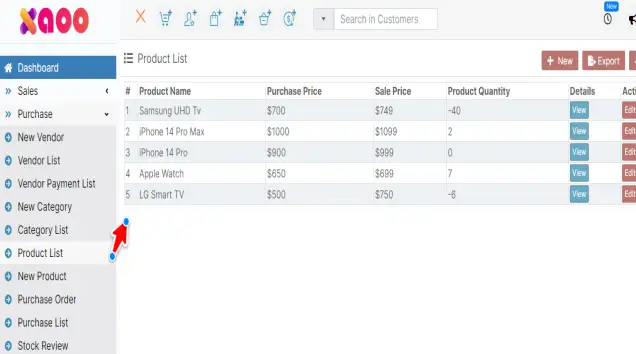
All your products can be viewed and managed from here
All your products can be viewed and managed from here
To check all your product category list by clicking "Category List".

To check all your product category list by clicking "Category List".

By clicking the show all button you will get all your product list under this category
By clicking the show all button you will get all your product list under this category