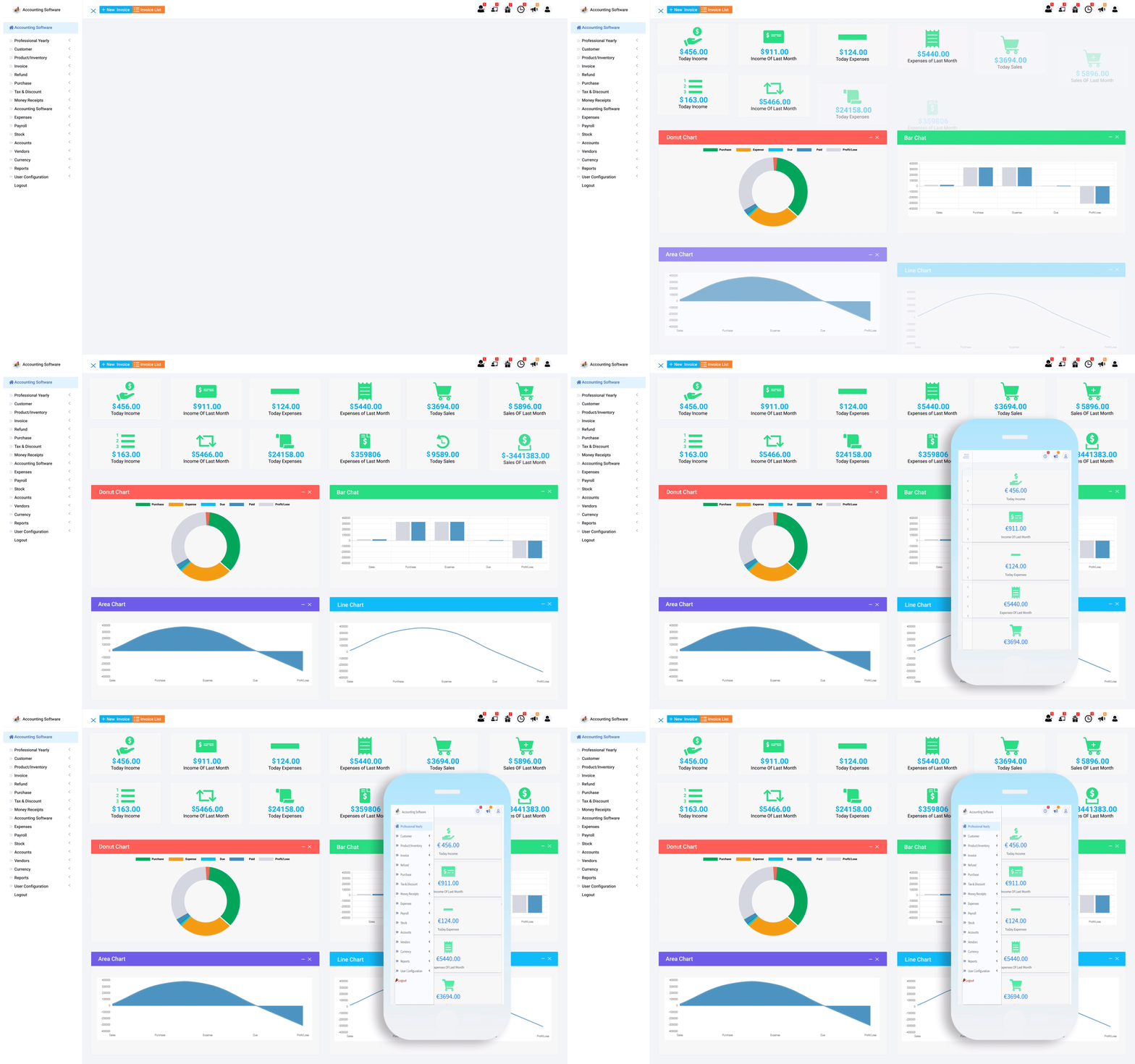


Simplify Your Accounting with Custom User Role Configuration
The user configuration feature in accounting software allows businesses to customize the software to their specific needs, enabling them to streamline their accounting processes and improve efficiency. With this feature, businesses can set up individualized access levels and permissions for each user, giving them access to the features and data they need to do their job effectively. User configurations can also be personalized, allowing users to tailor the software's interface to their specific preferences, such as tax, currency, logo settings, invoice settings.
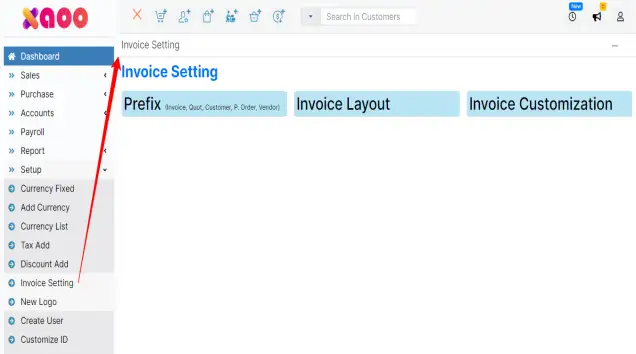
Invoice template that can be modified to fit your business requirements
Invoice template that can be modified to fit your business requirements
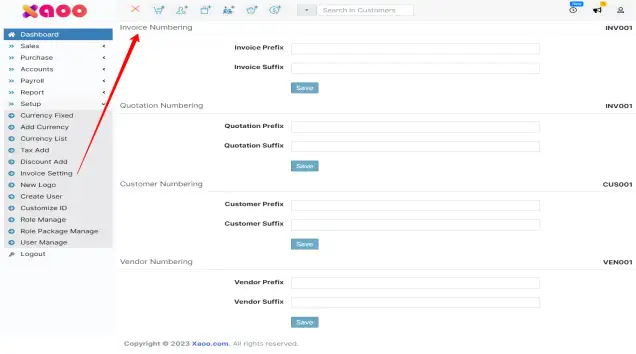
Custom numbering your invoice and other important numbering
Custom numbering your invoice and other important numbering
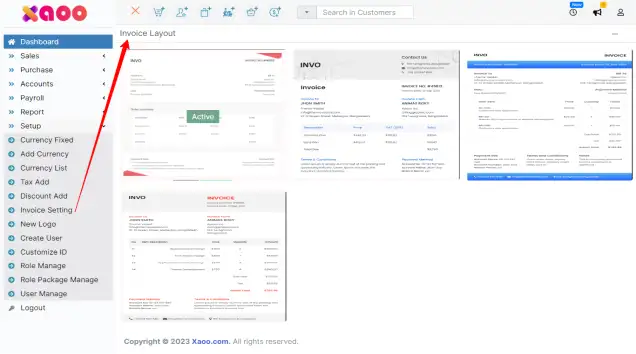
Change your invoice layout anytime
Change your invoice layout anytime
Set your business details in the invoice
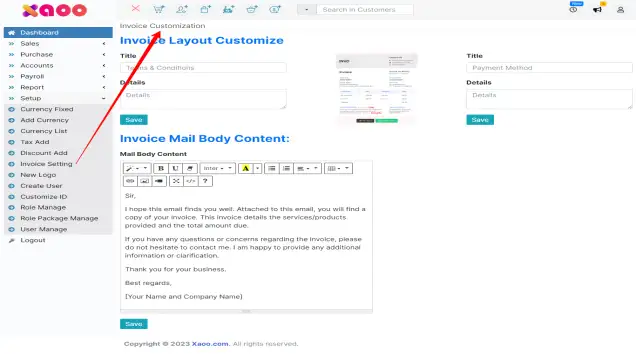
Set your business details in the invoice
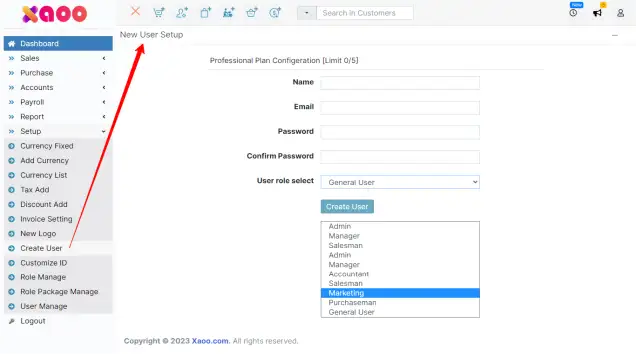
Create a new user or employee id to operate the software
Create a new user or employee id to operate the software
User role list

User role list
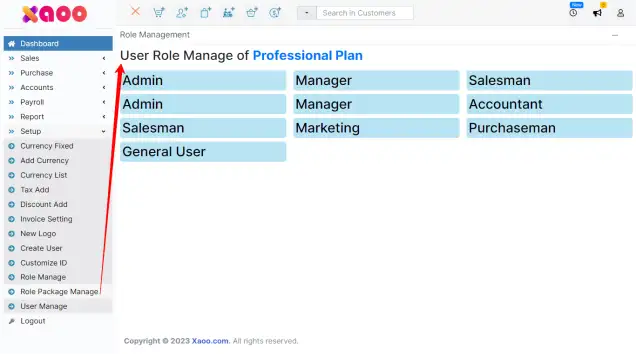
User role manage
User role manage
User role permission management is the process of assigning specific levels of access to different users within an organization or system. By assigning roles and permissions, administrators can control what actions each user is allowed to perform, and what data they have access to. This helps ensure that sensitive information is kept secure and that users only have access to the data that they need to perform their job functions
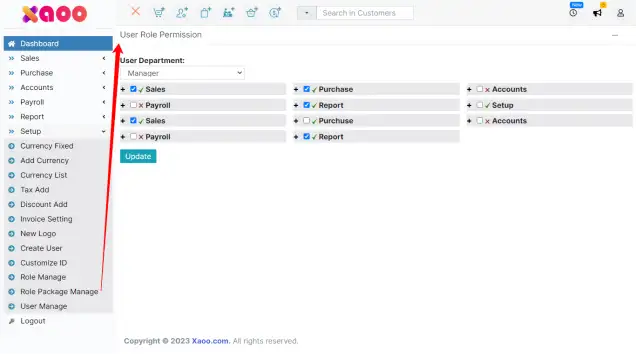
User role permission management is the process of assigning specific levels of access to different users within an organization or system. By assigning roles and permissions, administrators can control what actions each user is allowed to perform, and what data they have access to. This helps ensure that sensitive information is kept secure and that users only have access to the data that they need to perform their job functions